
JaCS currently only supports account registration via emails.
The registration steps are as follows:
Step 1: Use a browser to visit: https://jacs.ruijienetworks.com.

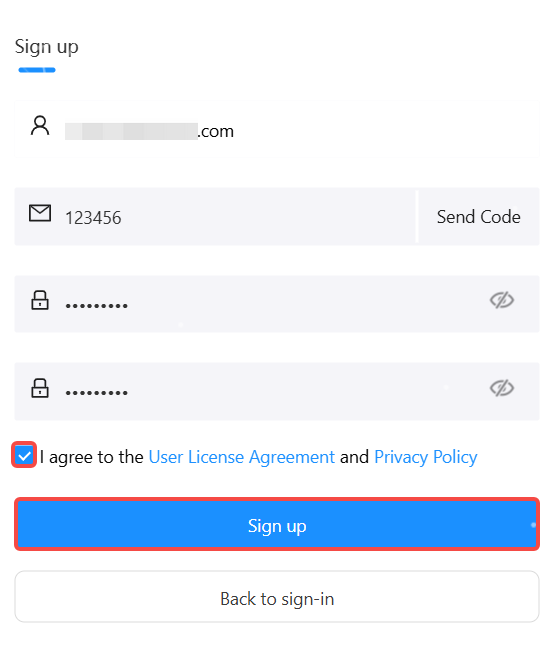
Step 2: Click Sign Up to open the Register page.
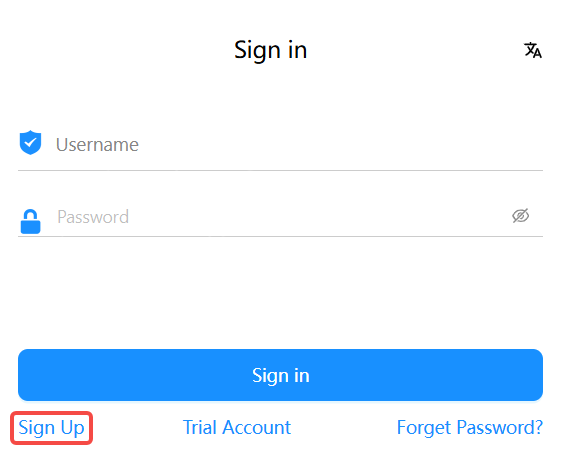
Step 3: Enter your Email address, and then click Send Code.
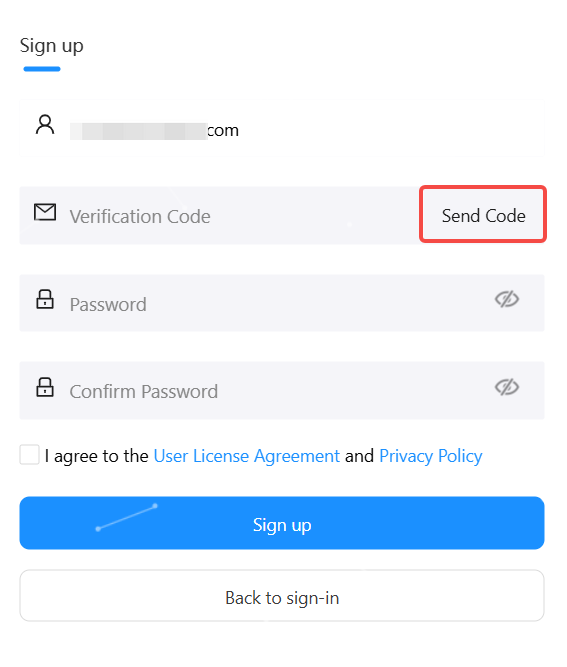
Note: One Email address can be registered once only. If the Email address you entered has been registered on JaCS, the system will prompt “This email is already registered."
Step 4: Enter the verification code received.
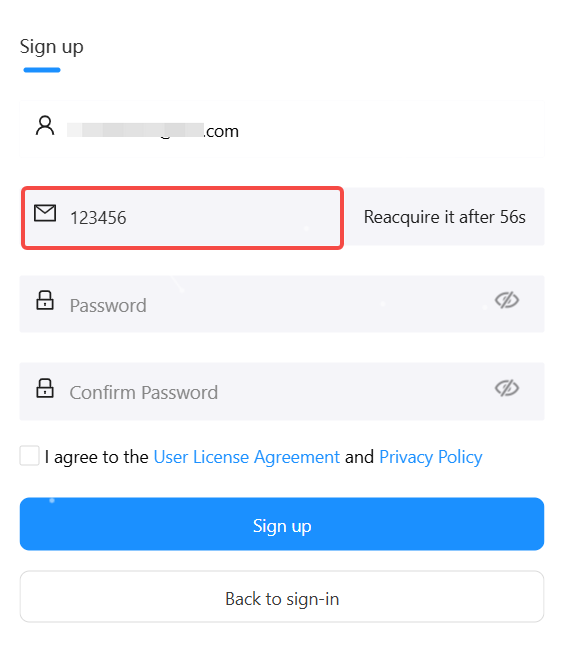
Notes: The verification code is valid for 10 minutes. If you do not receive the verification code, please click Send Code again after 1 minute.
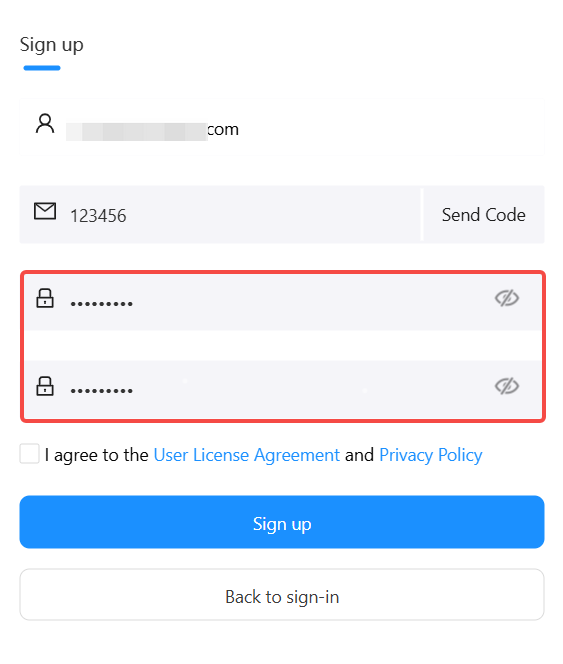
Step 5: Enter the password twice in succession.
Notes
(1) Click icon on the right side of the password input box to view the password.
(2) Please make sure the two passwords you enter are consistent.
(3) The password must contain three types of the following characters: uppercases, lowercases, digital numbers and special characters. Spaces are not allowed to be available on the password. The password length ranges from 8 to 16 characters.
Step 6: Check “I agree to the User License Agreement and Privacy Policy”, and then click Sign up to complete the registration.
After the account registration is completed, the user can use the account to log in.
Notes: The account registration cannot complete if you do not agree to our User License Agreement and Privacy Policy.
全部评论