
1.JaCS V3.1.0 delivers underlying architecture upgrades for multiple platform pages. The existing page functions and interaction logic remain unchanged, so users can continue working as before. Page rendering and loading chains are optimized to significantly improve page access and response speed, delivering a smoother user experience.
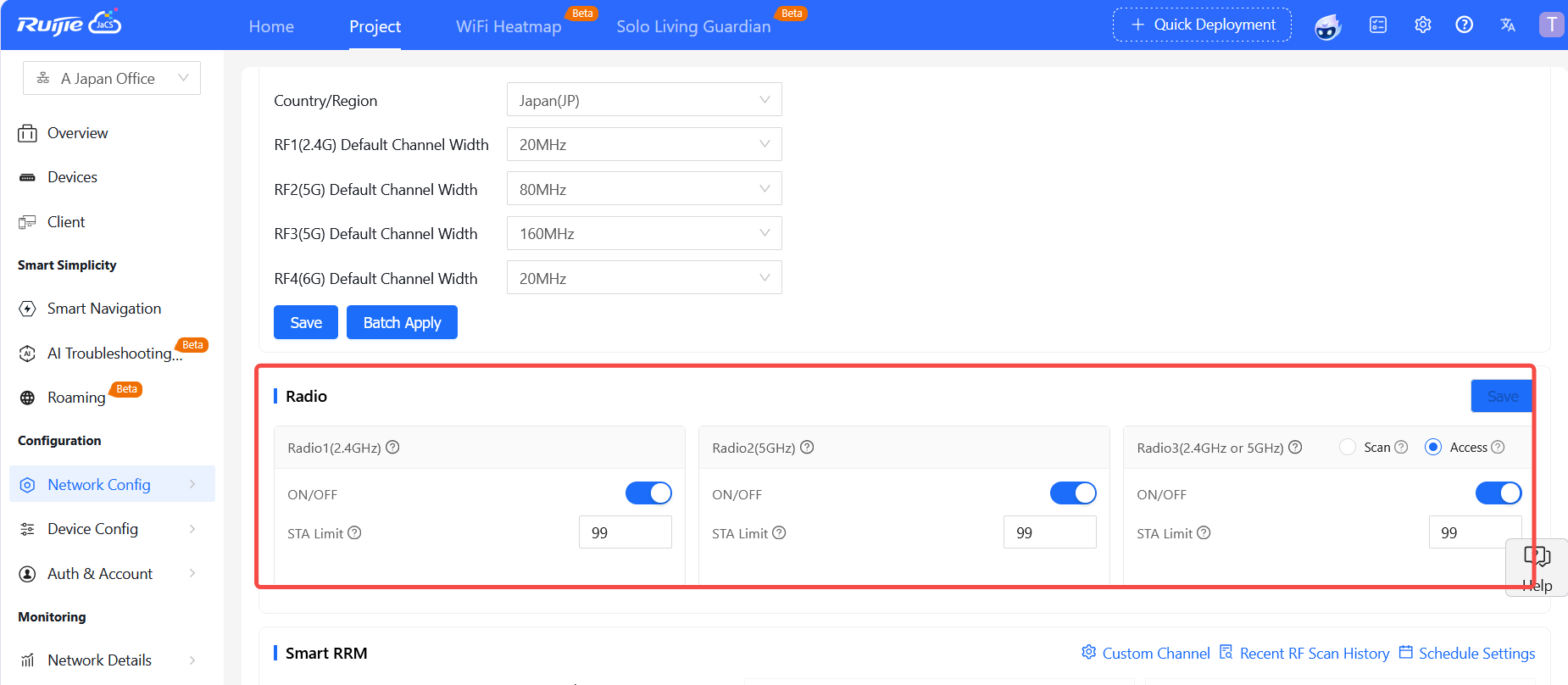
2.To improve usability, Radio configuration modification is added under the Network Config > RF Planning menu for hotel-based projects. Users can directly modify and manage Radio-related configurations on this page.
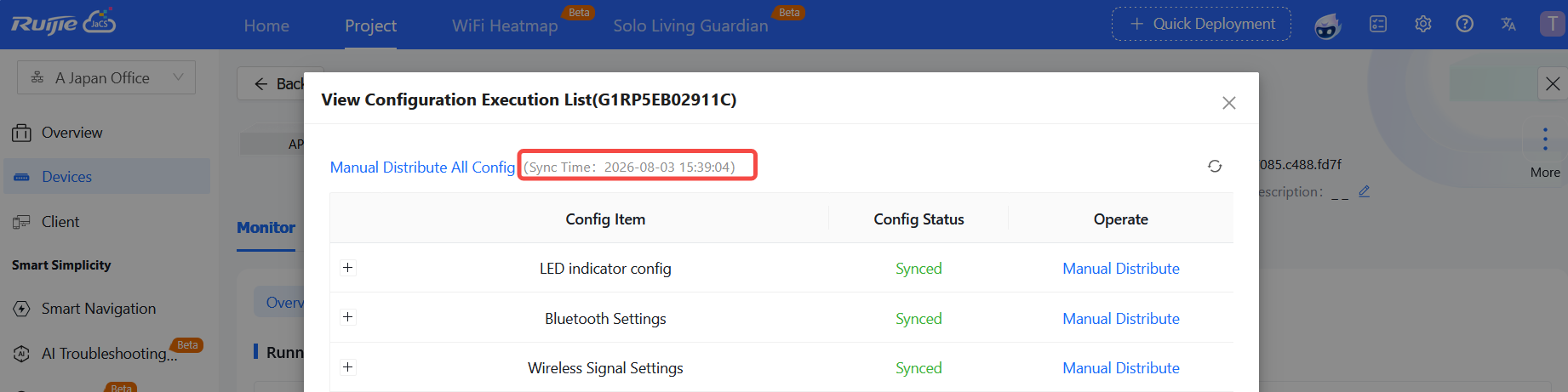
3.The last synchronization time is added on the AP device synchronization detail page. It helps quickly check the timestamp of the AP’s latest configuration sync and assists in judging the device synchronization status.
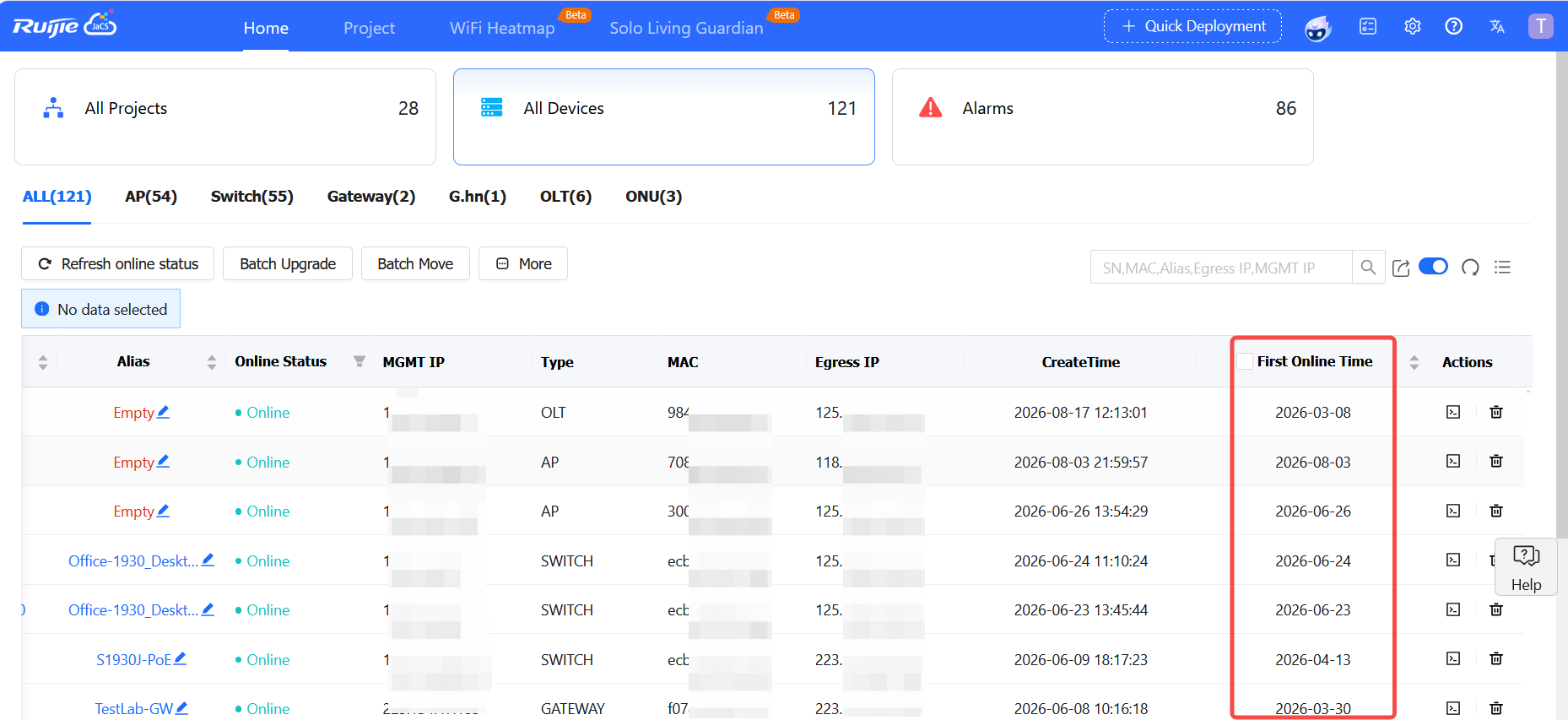
4. The First Online Time field on the device list page supports ascending/descending sorting, enabling quick filtering devices by their online time.
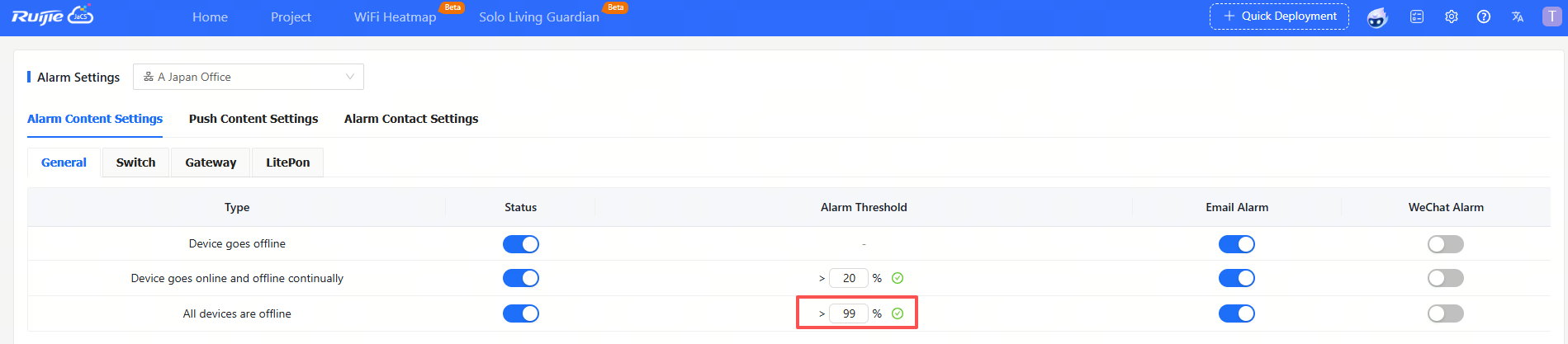
5. The offline alarm for all network devices supports a customizable offline ratio threshold. Alarms will be triggered only when the proportion of offline devices across the entire network exceeds the configured threshold.
6. JaCS V3.1.0 now supports customizing CPU and memory alarm thresholds for switches and LitePON devices (configuration is only available in the root group and takes effect globally).
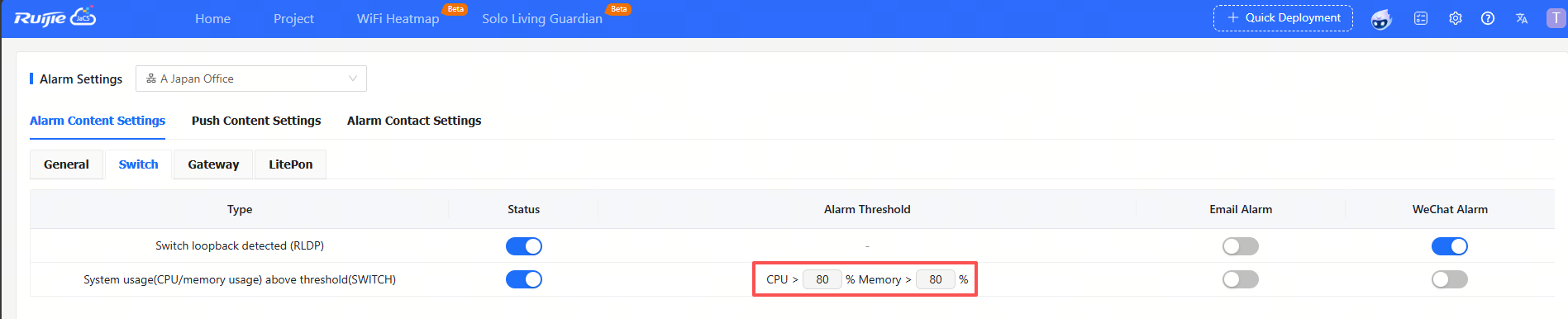
7. Alarm settings can be applied to the root group. Once applied, alarm rules take effect for all projects under it, and newly added projects automatically inherit this alarm configuration — no further setup required.

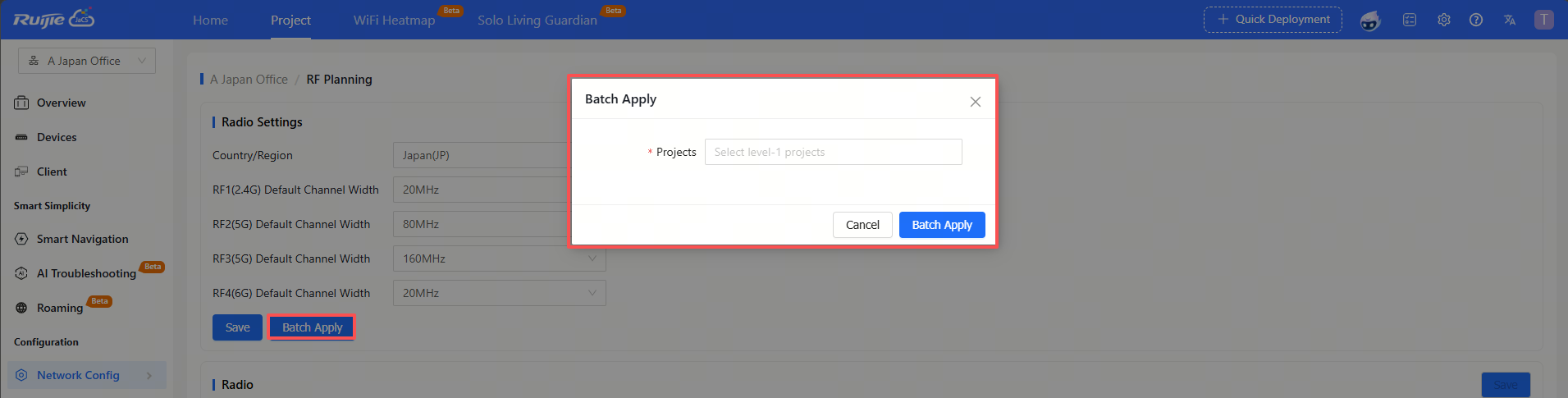
8. On the Network Config > RF Planning page, the country code and bandwidth configuration of the current project can be applied in bulk to other projects. The configuration will take effect on devices under the target projects once distributed.
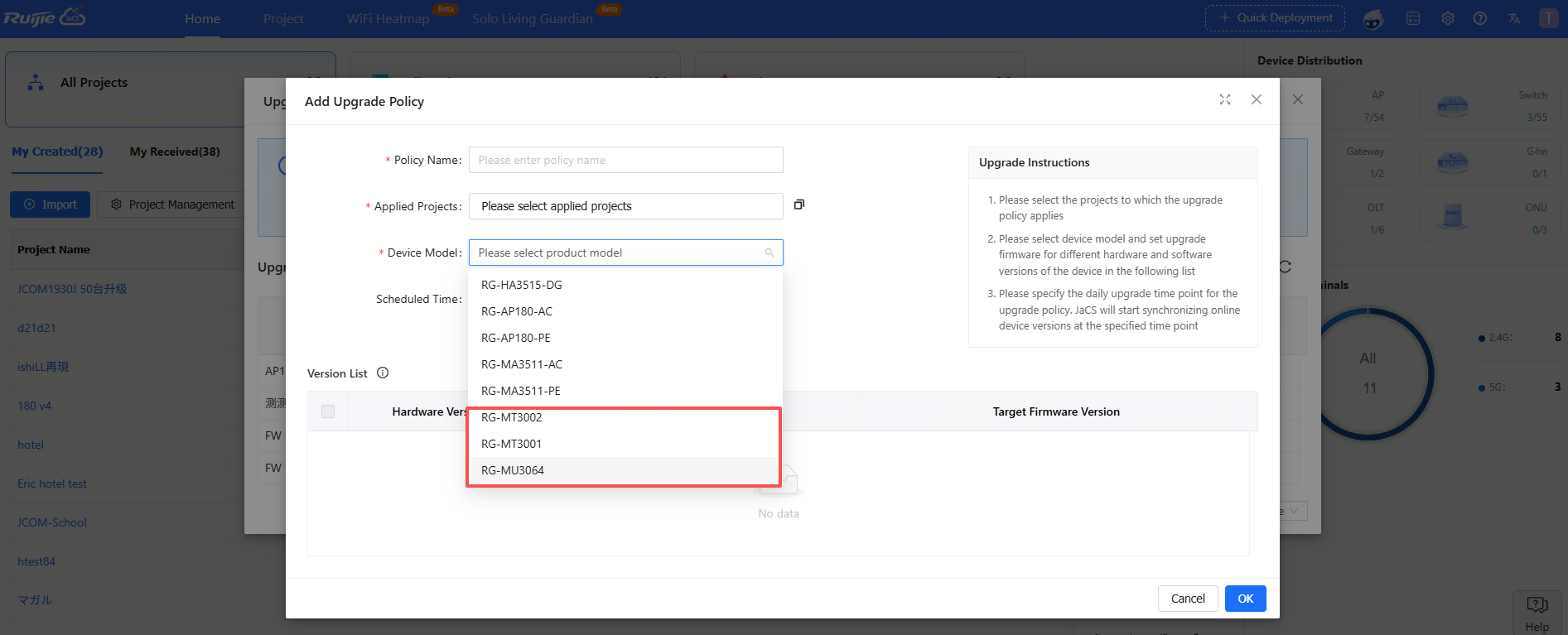
9. JaCS V3.1.0 now supports setting an upgrade policy for LitePON devices. With this feature, users can uniformly manage firmware upgrades for these devices, enabling orderly batch version maintenance.
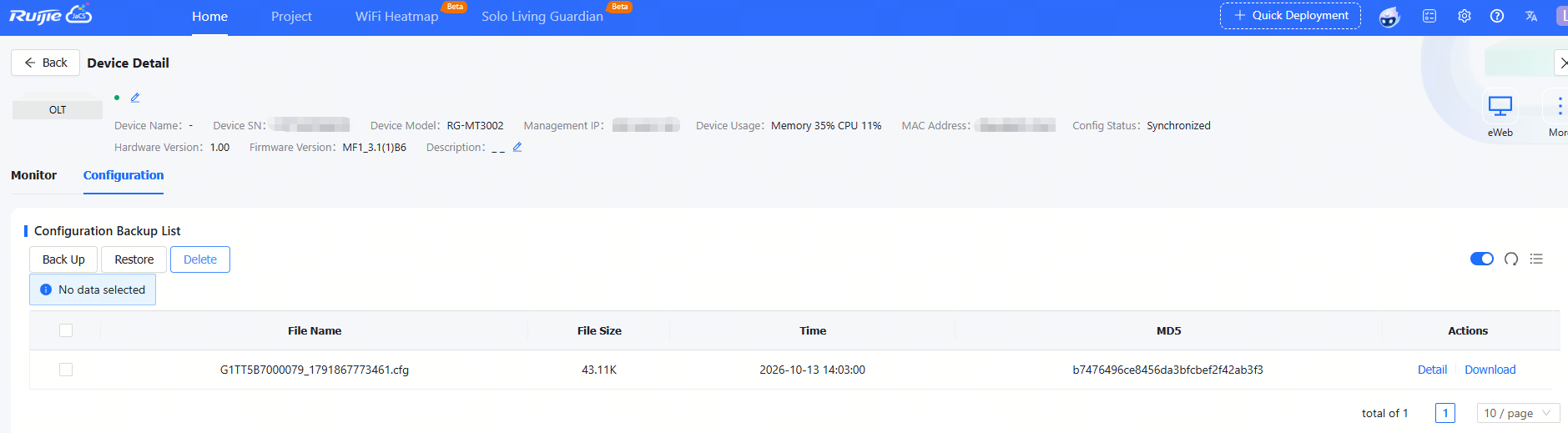
10. When a LitePON device connects to Ruijie JaCS, the system automatically backs up its configuration and retains snapshots for fault recovery and traceability.
11. The alarm list page now supports data export, allowing alarm data to be exported for offline viewing, statistical analysis, and archiving.

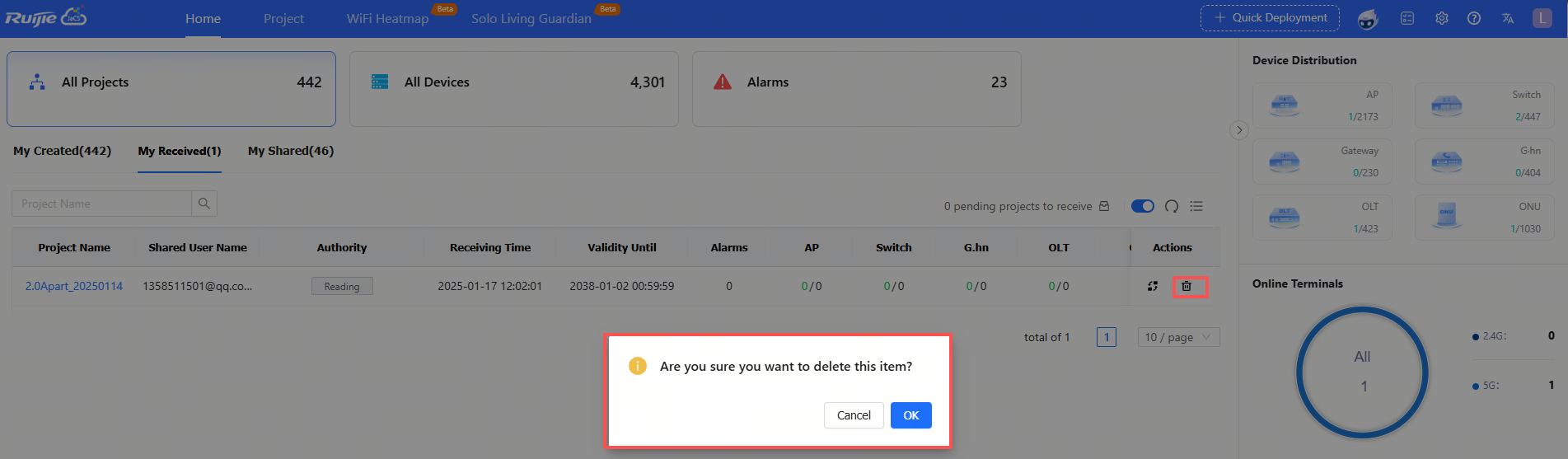
12. Project handover and deletion functions have been added to the My Received page. Users can handover or delete projects received under their account.
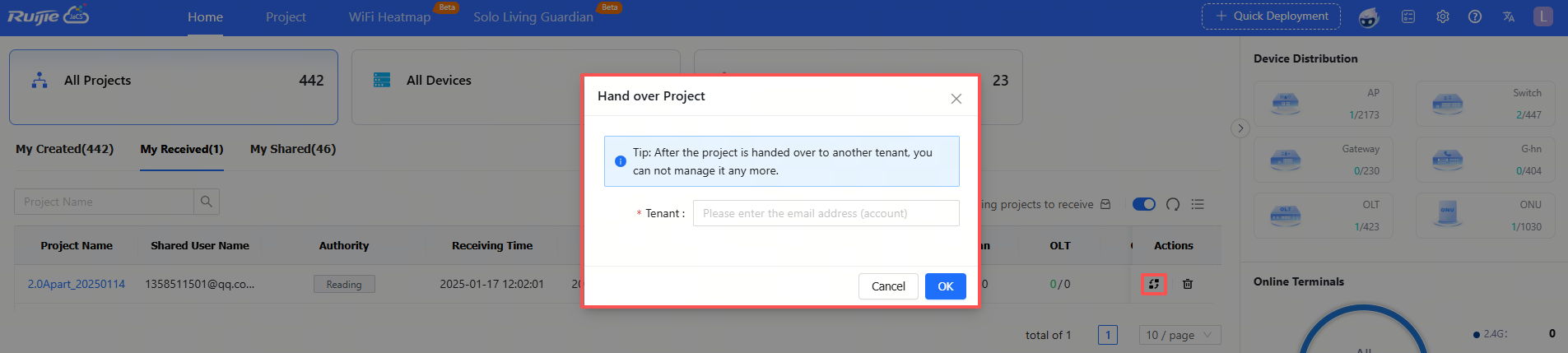
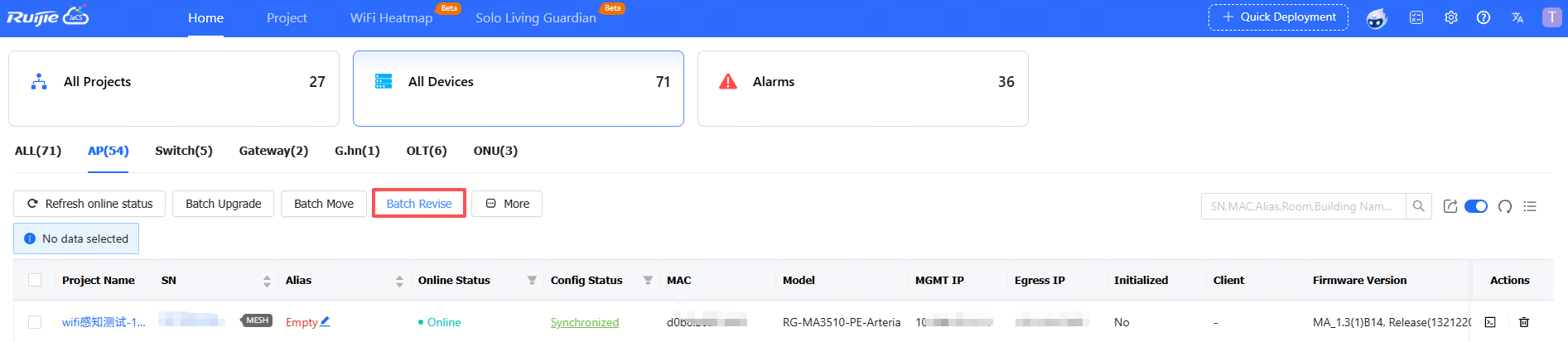
13. JaCS V3.1.0 now supports bulk import of device information. Device aliases and other details can be updated by importing files, making it easier to maintain large numbers of devices.
 '
'
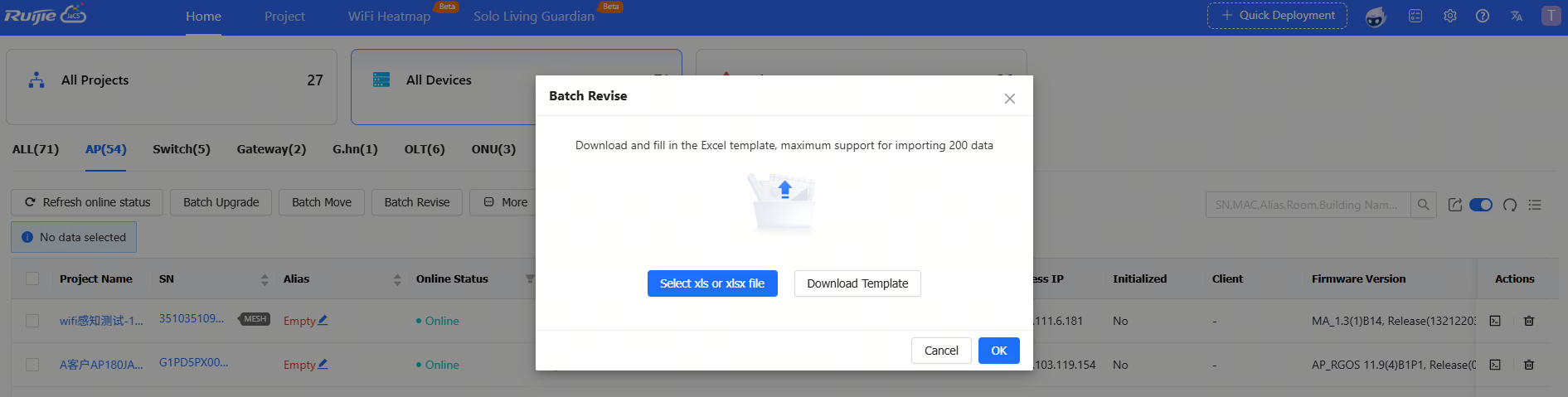
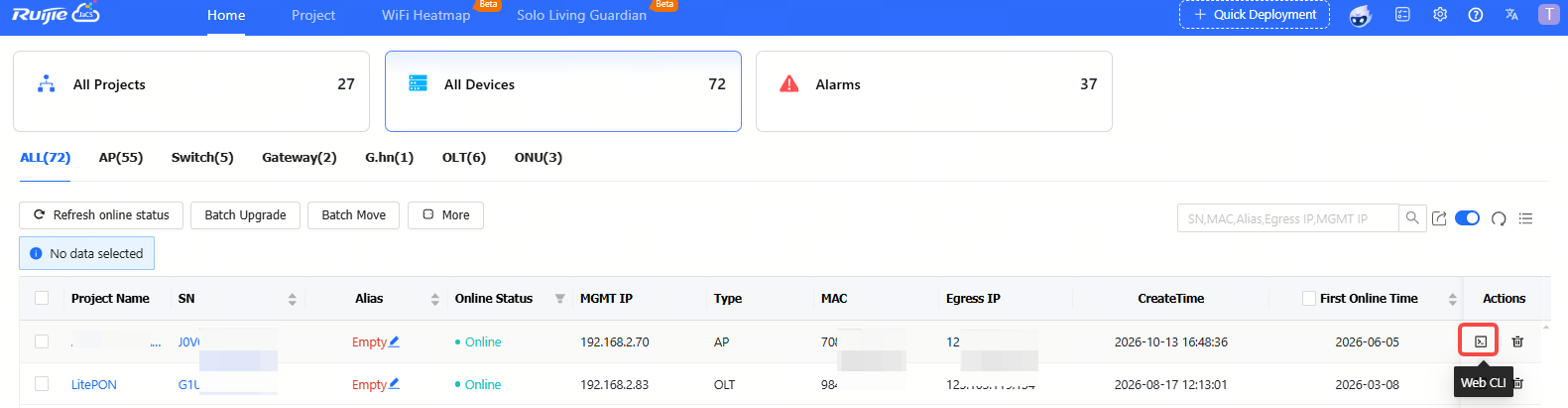
1. The Web CLI button has been moved to the Action column of the device list.
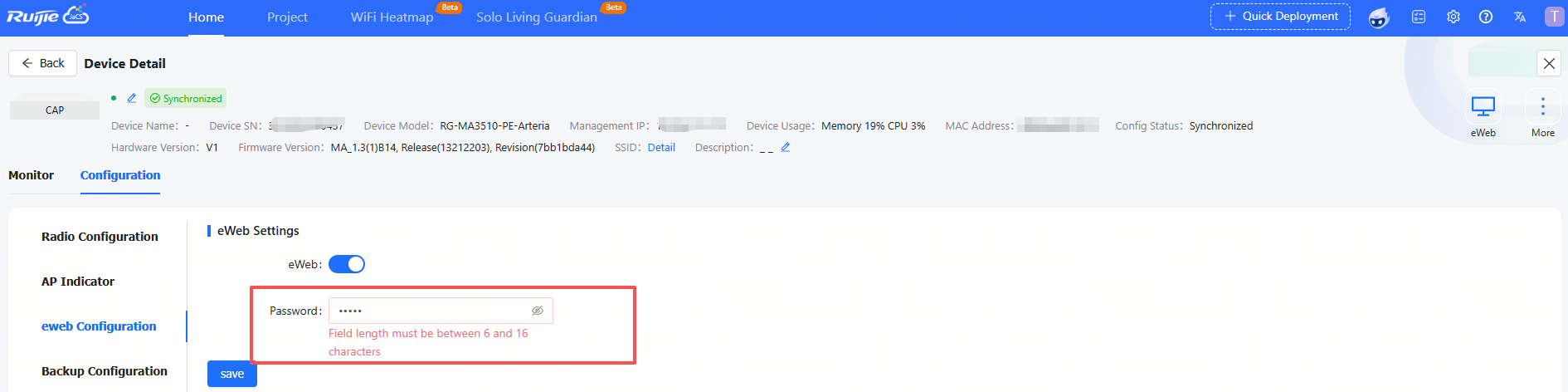
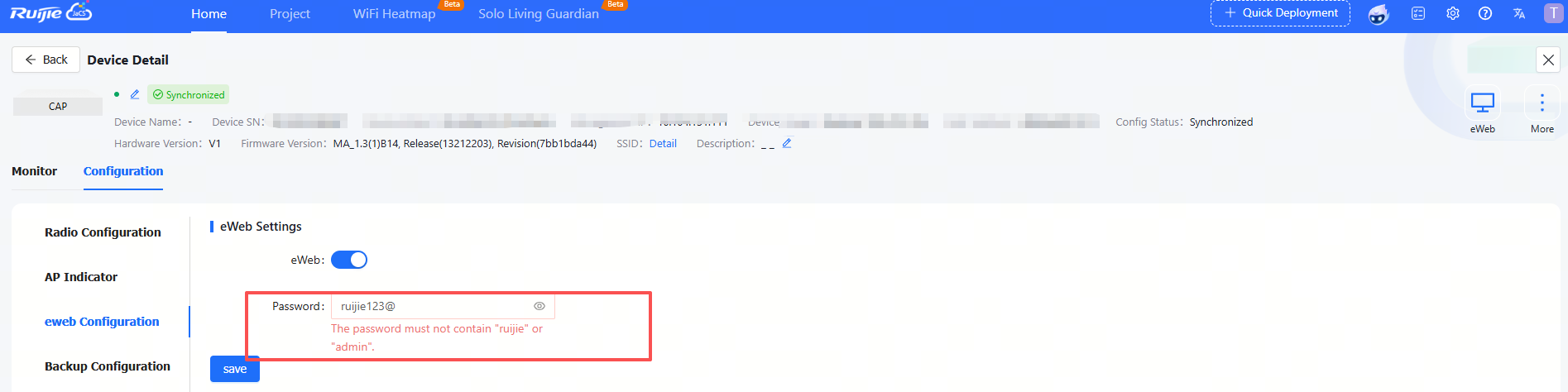
2. Added validation rules for web login passwords. In addition to meeting complexity requirements, passwords cannot contain the keywords "admin" or "ruijie" to enhance account security.
3. Adjust the alert thresholds of CPU and memory usage to 80%
4. JaCS V3.0 is fully compatible with all device features in JaCS V2.0. Please note that JaCS V2.0 will be officially shut down on October 12, 2026.
1. Fixed an issue where the AI assistant was inaccessible.
2. Fixed an issue in the channel scanning radio recommendation module where the displayed power for Radio 1 (2.4 GHz band) was stuck at 100 and did not update dynamically with the calculation results.
3. Modified the task queue mechanism to fix the following issues: devices remaining in "upgrading" status for an extended period after firmware upgrades; slow cloud-side synchronization when device information changes.
4. Fixed an issue that the link in alarm notification emails redirected to an incorrect page. Now, clicking the URL within the email will open the corresponding target page normally.
No. | Module | Description |
1 | Device | Up to 200 devices can be imported each time. To import more than 300 devices, users need to do it in batches. |
2 | Configuration | Configurations of up to 200 devices can be imported each time. To import configurations of over 200 devices, users need to do it in batches. |
3 | EXCEL template | For Excel template, only the XLS format is supported. |
4 | SSID | SSIDs can be made up of numbers, English letters, and “-“. |
5 | Custom excel template | In an Excel customized template, A to Z columns and 1 to 15 rows are supported. |
6 | AP | Account-based policies may fail on some models, such as AP680(CD), where they are disabled by default. In this case, users need to batch apply from the Cloud the web-auth acct-update-interval 1 command to enable those policies. |
7 | SSID reverse sync | The Cloud does not support SSIDs containing special characters. If set on end devices, such SSIDs will fail to be delivered, after synchronization, by the Could. |
8 | 00000JAPAN Wi-Fi | In the Apartment Scenario, if the device goes offline after 00000JAPAN Wi-Fi is enabled, and then goes online after 00000JAPAN Wi-Fi disabled, Cloud will not re-configure the Wi-Fi settings on device. You need to clear 00000JAPAN Wi-Fi configuration manually. |
9 | AP | In Non-apartment Scenario, please clear the configuration on devices except AP180 before bring them online; otherwise, the configuration on devices may be conflict with that on Cloud, and the client may not be able to access the Internet. |
10 | AP | In Non-apartment Scenario, if the working mode (bridge mode or routing mode) of AP180 is different from that on Cloud, the client may not be able to access the Internet. |
11 | TOPOLOGY | 1. Only devices connected to the downlink port of the switch can be detected. 2. Only EG5210-JP, XS-1930J series switches and APs can be displayed in the topology. 3. Only the devices in the same network and subnetwork can be displayed in the topology. 4. DHCP Diagnosis: only supports dynamic IP; the IP address of device can be recognized correctly only after four hours when its address pool range is changed. 5. When the downlink devices of EG5210-JP are offline, they still can be displayed in the topology for 1 hour, but the traffic information of interfaces cannot be displayed. 6. Loop detection is not supported. 7. RG-HS2310-16GH2GT1XS and RG-HA3515-DG are displayed in the Topology page only when the root node is RG-HS2310-16GH2GT1XS or when the RG-HS2310-16GH2GT1XS is directly connected to EG5210-JP. |
12 | TOPOLOGY | The uplink ports of some switches cannot be shielded in the topology as the Cloud fails to identify them. Included: XS-S1930J-8GT2SFP, XS-S1930J-8GT2SFP-P XS-S1930J-18GT2SFP, XS-S1930J-18GT2SFP-P XS-S1930J-24GT4SFP/2GT, XS-S1930J-24GT4SFP/2GT-P XS-S1930J-48GT4SFP |
13 | Initial Configuration Template | The template can only be applied to AP180 series access points in Apartment networks. |
14 | CLI Commands | Only for AP and CAP series products. |
15 | WPA3-SAE | Only for MA2610 and MA2810 access points in hotel networks. |
16 | Device Details-Back Up | Only for apartment networks. |
17 | Network Management | Level 5 subnetwork group is supported. |
18 | Upgrade Policy | 1. Not supported in sub accounts and networks shared by another networks. 2. Only for MA and AP180 series access points. 3. Only one upgrade policy can be configured for a device model. |
19 | RG-HS2310-16GH2GT1XS | Ruijie JaCS doesn’t support displaying the configurations of G.hn ports as well as delivering configurations to them. |
20 | Project | Up to 200 projects can be created each time when you use the batch template to create projects. |
21 | ZTP | Only for RG-EG5210-JP gateway and XS-S1620J series switches. |
22 | XS-S1620J configuration file rule | Refers to Managing ZTP configuration file |
23 | AI Troubleshooting | Currently supports only the AP180 and S1930J series |
全部评论