
1. Support the management of RG-MA3510-AC and RG-MA3510-PE.

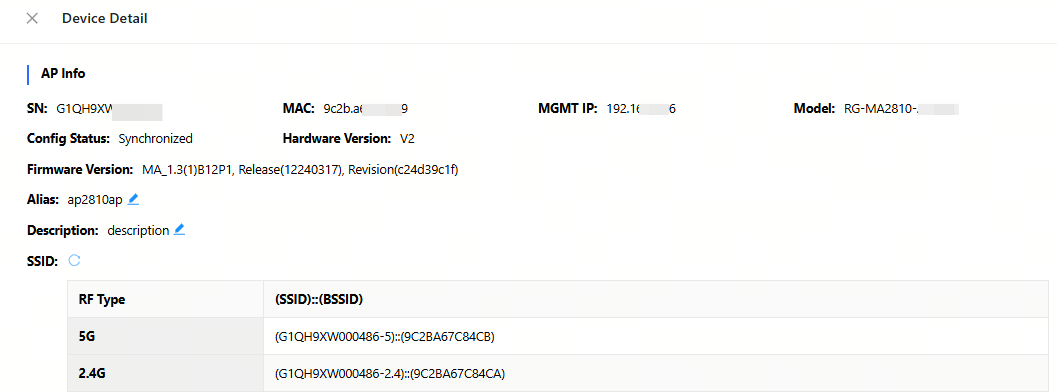
2. Support the display of BSSIDs corresponding to all 2.4 GHz/5 GHz SSIDs of the RG-MA2810.
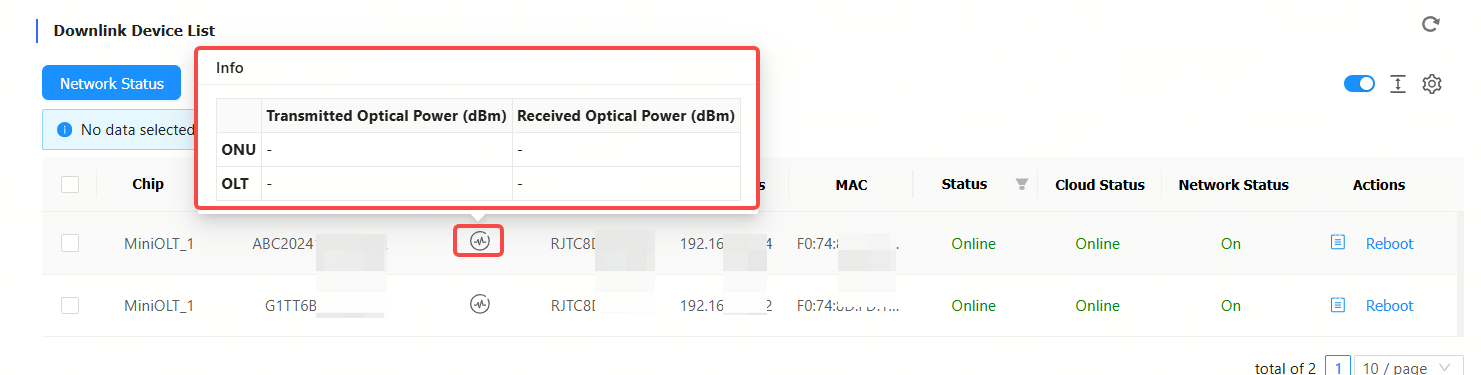
3. Support the display of transmit optical power and receive optical power for the PON interfaces of RG-MT3002 and RG-MU3064.
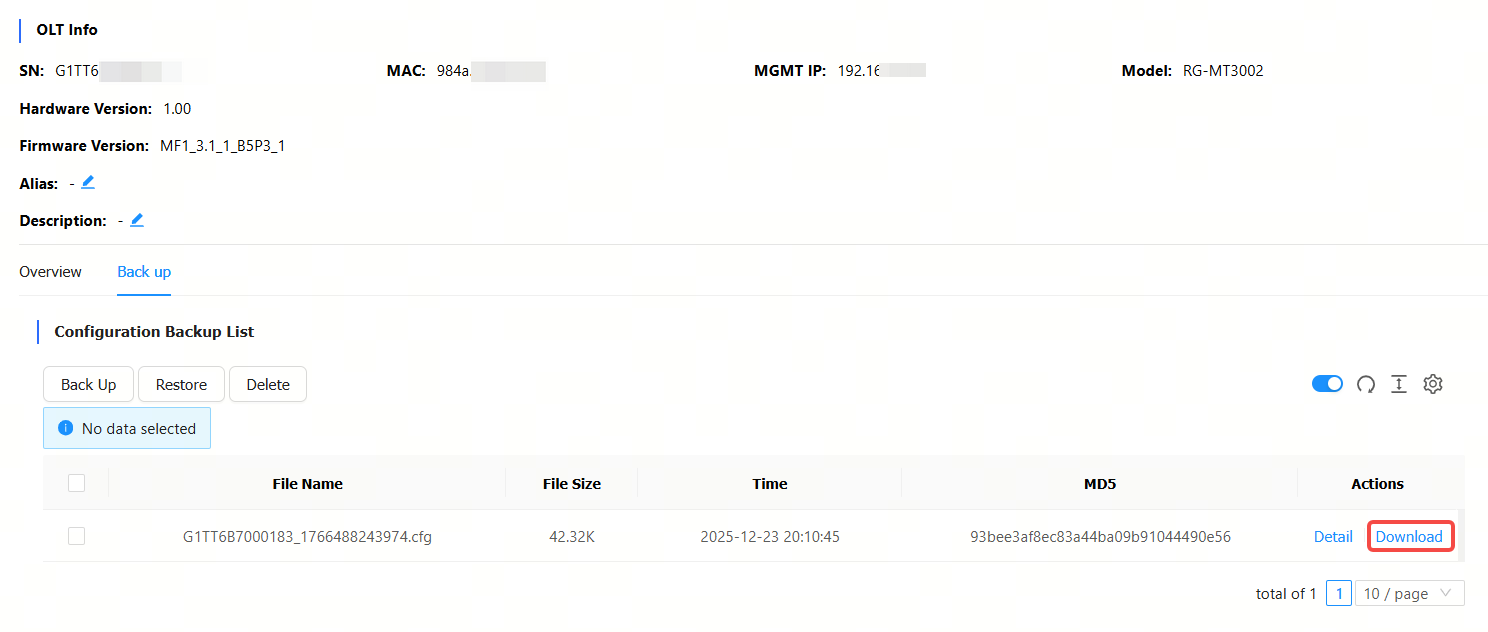
4. Support downloading the configuration files of the RG-MT3002.
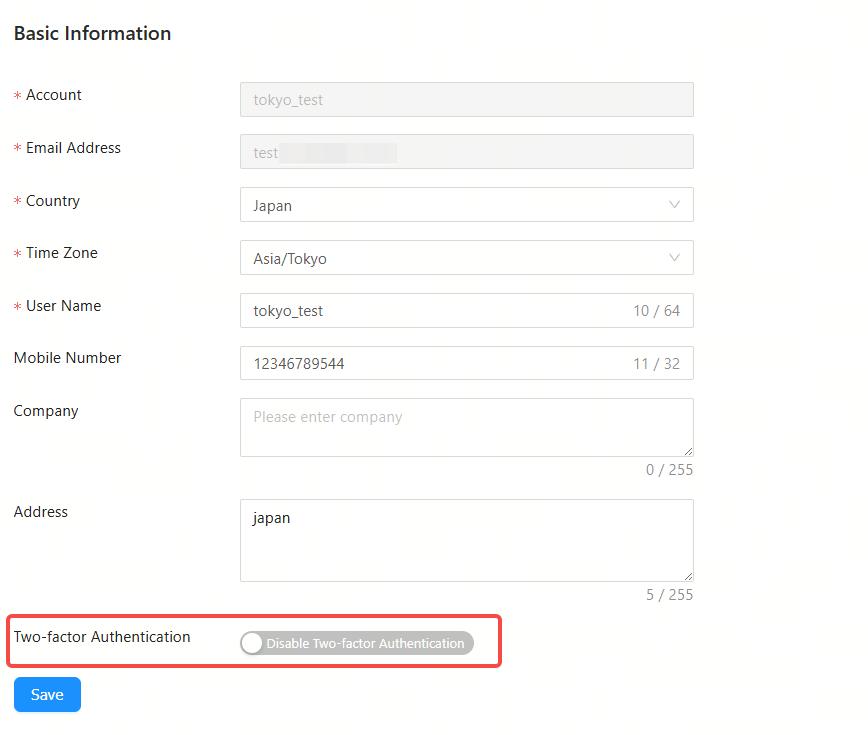
5. Provide two-factor authentication (2FA) for the account login of JaCS main account login.
1. Support searching a device by its management IP address and egress address.

2. Add the Creation Time column to the Device List, showing when a device was imported to the cloud platform.

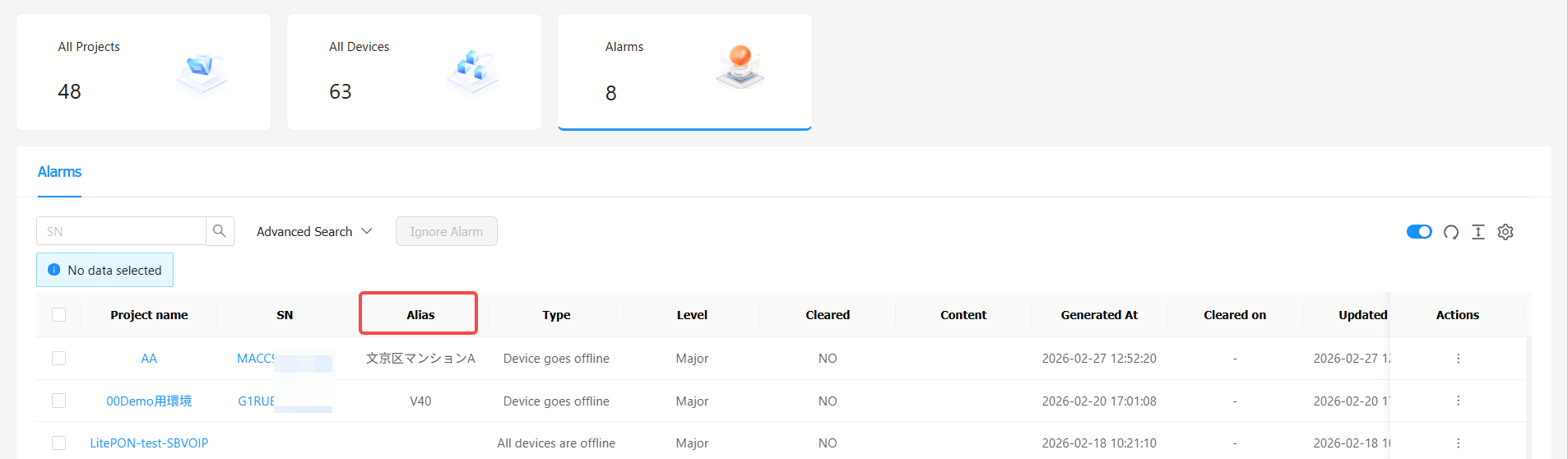
3. Add the Alias column to the Alarm List.
1. Fixed the issue where OLT device information was missing in a report that was reported in a scheduled time.
No. | Module | Description |
1 | Device | Up to 200 devices can be imported each time. To import more than 300 devices, users need to do it in batches. |
2 | Configuration | Configurations of up to 200 devices can be imported each time. To import configurations of over 200 devices, users need to do it in batches. |
3 | EXCEL template | For Excel template, only the XLS format is supported. |
4 | SSID | SSIDs can be made up of numbers, English letters, and “-“. |
5 | Custom excel template | In an Excel customized template, A to Z columns and 1 to 15 rows are supported. |
6 | AP | Account-based policies may fail on some models, such as AP680(CD), where they are disabled by default. In this case, users need to batch apply from the Cloud the web-auth acct-update-interval 1 command to enable those policies. |
7 | SSID reverse sync | The Cloud does not support SSIDs containing special characters. If set on end devices, such SSIDs will fail to be delivered, after synchronization, by the Could. |
8 | 00000JAPAN Wi-Fi | In the Apartment Scenario, if the device goes offline after 00000JAPAN Wi-Fi is enabled, and then goes online after 00000JAPAN Wi-Fi disabled, Cloud will not re-configure the Wi-Fi settings on device. You need to clear 00000JAPAN Wi-Fi configuration manually. |
9 | AP | In Non-apartment Scenario, please clear the configuration on devices except AP180 before bring them online; otherwise, the configuration on devices may be conflict with that on Cloud, and the client may not be able to access the Internet. |
10 | AP | In Non-apartment Scenario, if the working mode (bridge mode or routing mode) of AP180 is different from that on Cloud, the client may not be able to access the Internet. |
11 | TOPOLOGY |
|
12 | TOPOLOGY | The uplink ports of some switches cannot be shielded in the topology as the Cloud fails to identify them. Included: XS-S1930J-8GT2SFP, XS-S1930J-8GT2SFP-P XS-S1930J-18GT2SFP, XS-S1930J-18GT2SFP-P XS-S1930J-24GT4SFP/2GT, XS-S1930J-24GT4SFP/2GT-P XS-S1930J-48GT4SFP |
13 | Initial Configuration Template | The template can only be applied to AP180 series access points in Apartment networks. |
14 | CLI Commands | Only for AP and CAP series products. |
15 | WPA3-SAE | Only for MA2610 and MA2810 access points in hotel networks. |
16 | Device Details-Back Up | Only for apartment networks. |
17 | Network Management | Level 5 subnetwork group is supported. |
18 | Upgrade Policy |
|
19 | RG-HS2310-16GH2GT1XS | Ruijie JaCS doesn’t support displaying the configurations of G.hn ports as well as delivering configurations to them. |
20 | Project | Up to 200 projects can be created each time when you use the batch template to create projects. |
21 | ZTP | Only for RG-EG5210-JP gateway and XS-S1620J series switches. |
22 | XS-S1620J configuration file rule | Refers to Managing ZTP configuration file |
全部评论